Authenticate to database trough Azure Ad
Enable Azure AD Integration
Public preview 6-12-22
-
Navigate to your new primary sql server in the Azure portal .
-
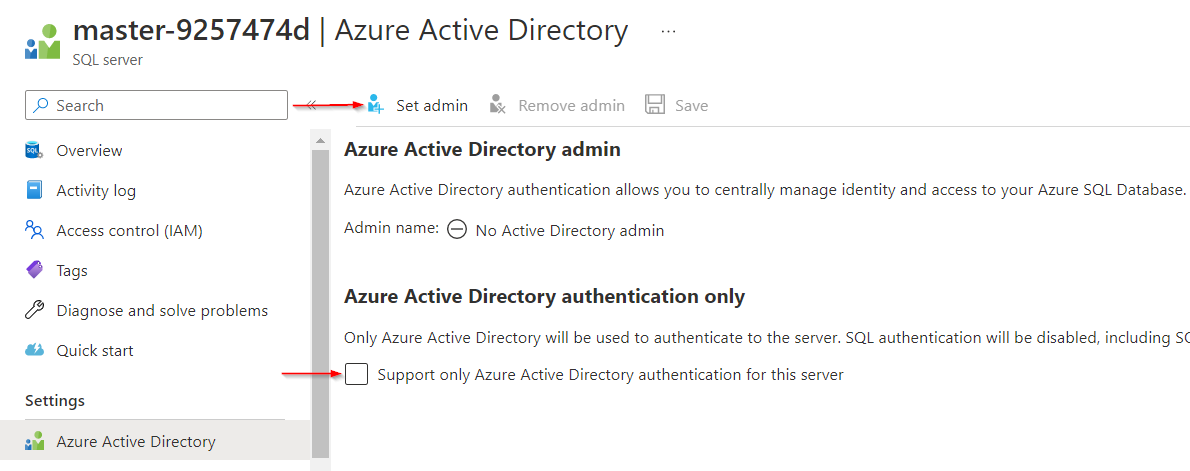
Under Azure Active Directory, select Support only Azure Active Directory authentication for this server for the Authentication method.
-
Select Set admin, which brings up a menu to select an Azure AD principal as your managed instance Azure AD administrator. When you’re finished, use the Select button to set your admin.